

The whole picture, together.
Schedule, cost, risk, RFIs and tracking — every figure computed on your own machine and traceable back to what you typed. Here's the whole thing, running on a sample project.
Automated checks, zero failures
The release gate this exact build passed before it reached you.
Failures
Every check passed. The figures on this page come from those reports.
Bytes of your project data uploaded
Your project never leaves your computer, in either edition. There's nowhere for it to go.
Money-back. No questions.
On anything you buy. If it's not for you, it's not for you.
Five answers you stop guessing.
Scroll through the real views — schedule, cost, risk, recovery and RFIs — captured from the live sample project you can drive yourself below.
Will you make the date?
It reads your plan and where you actually are, then tells you the finish date straight — and how confident you can be in it.
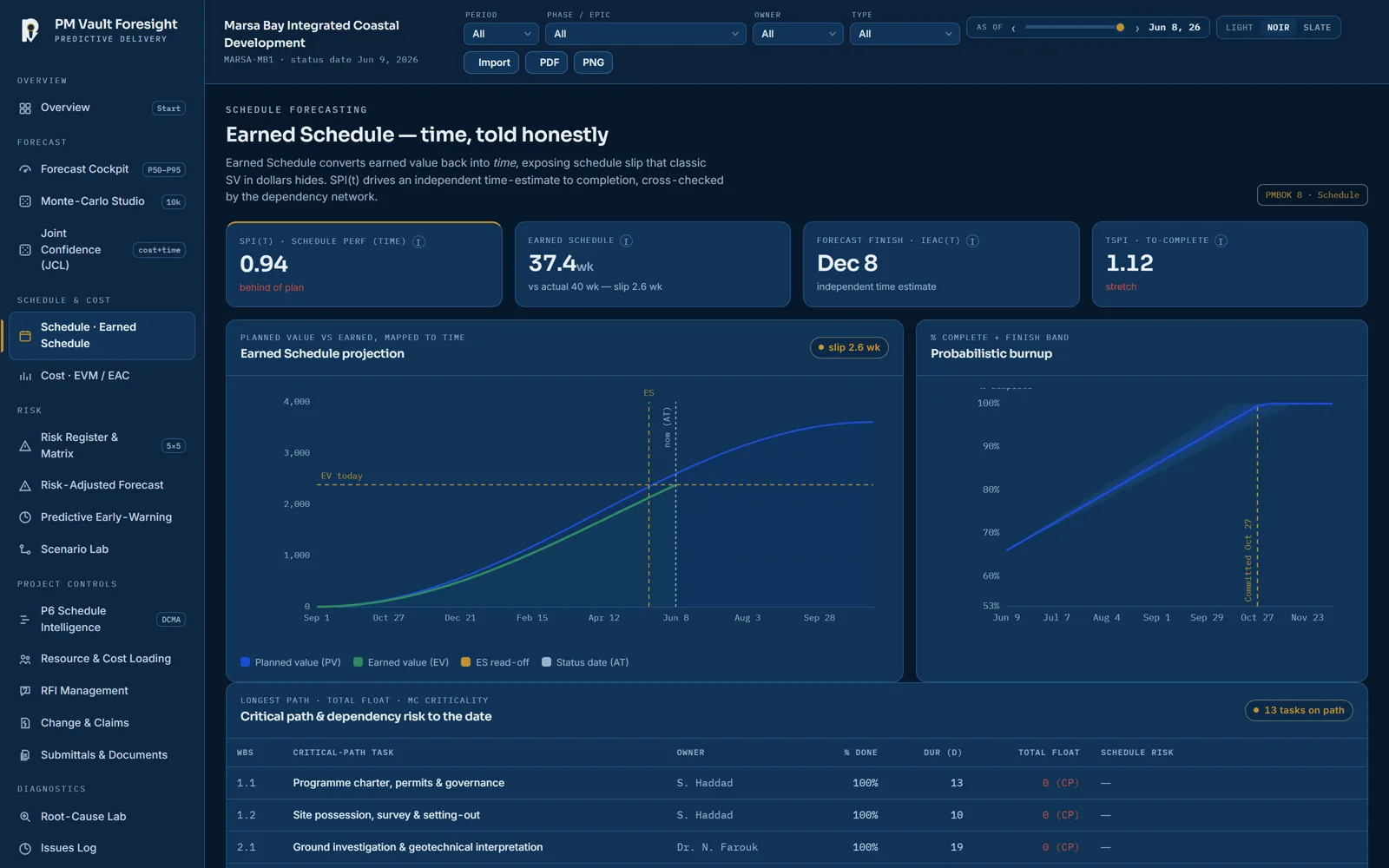
Where the money stands.
What you've earned, what you've spent, and what the end will really cost — with the working shown, not a black box.
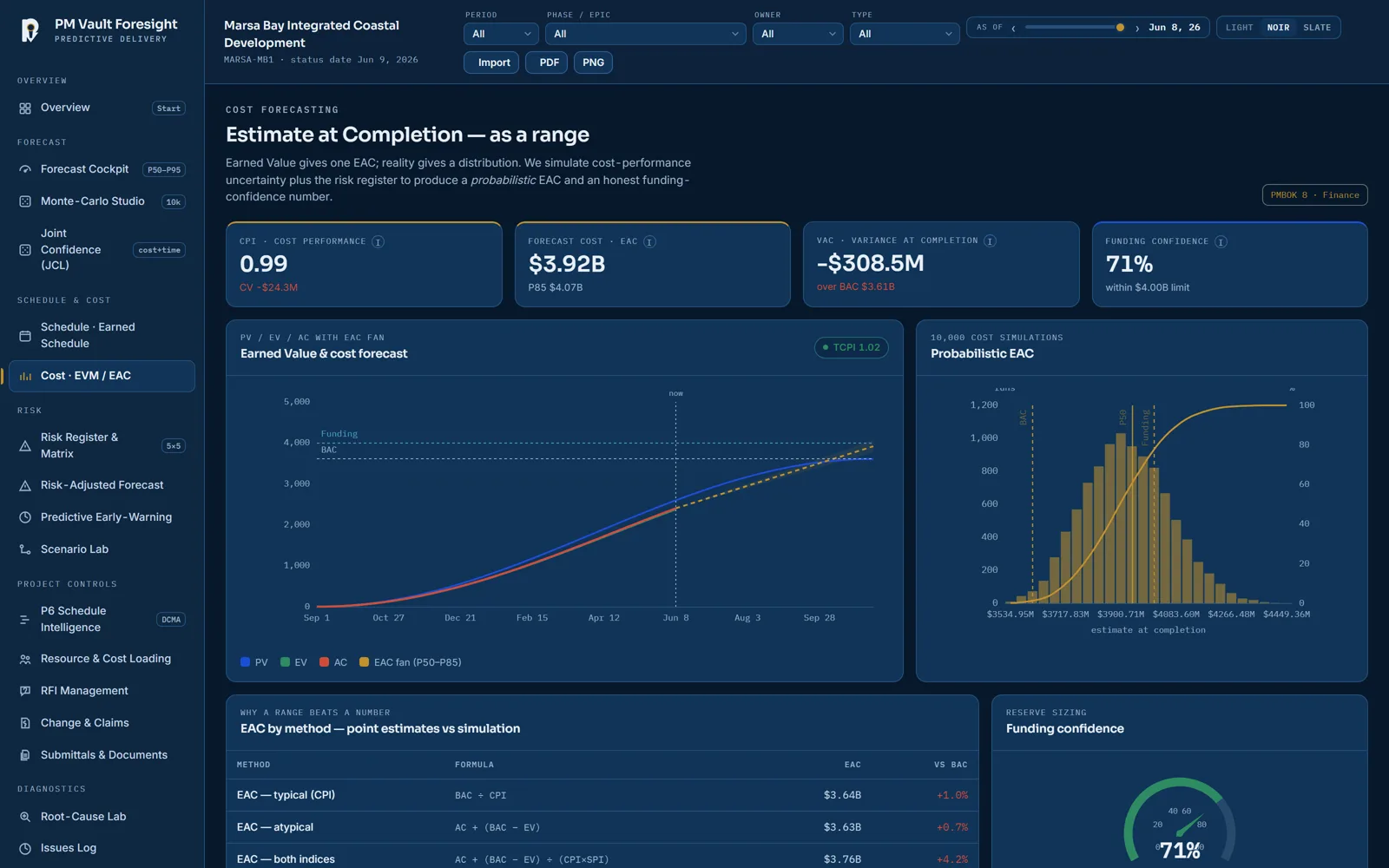
What could bite you.
Every risk scored, ranked and priced into the forecast — so the surprise happens on the screen, not on the site.
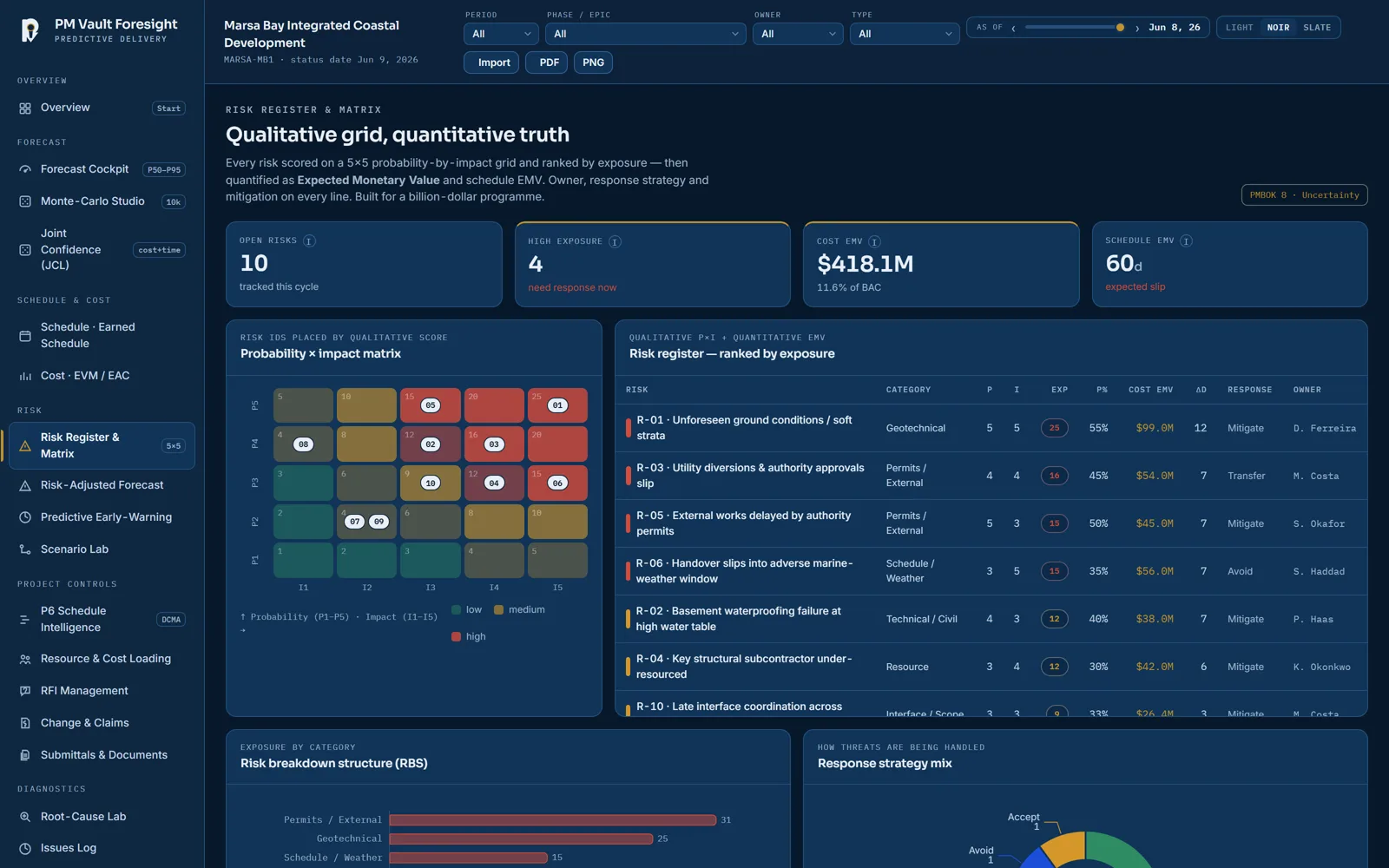
When it slips — find the way back.
Move a lever, re-run thousands of futures, and see which action actually rescues the date. You commit to actions, not hope.
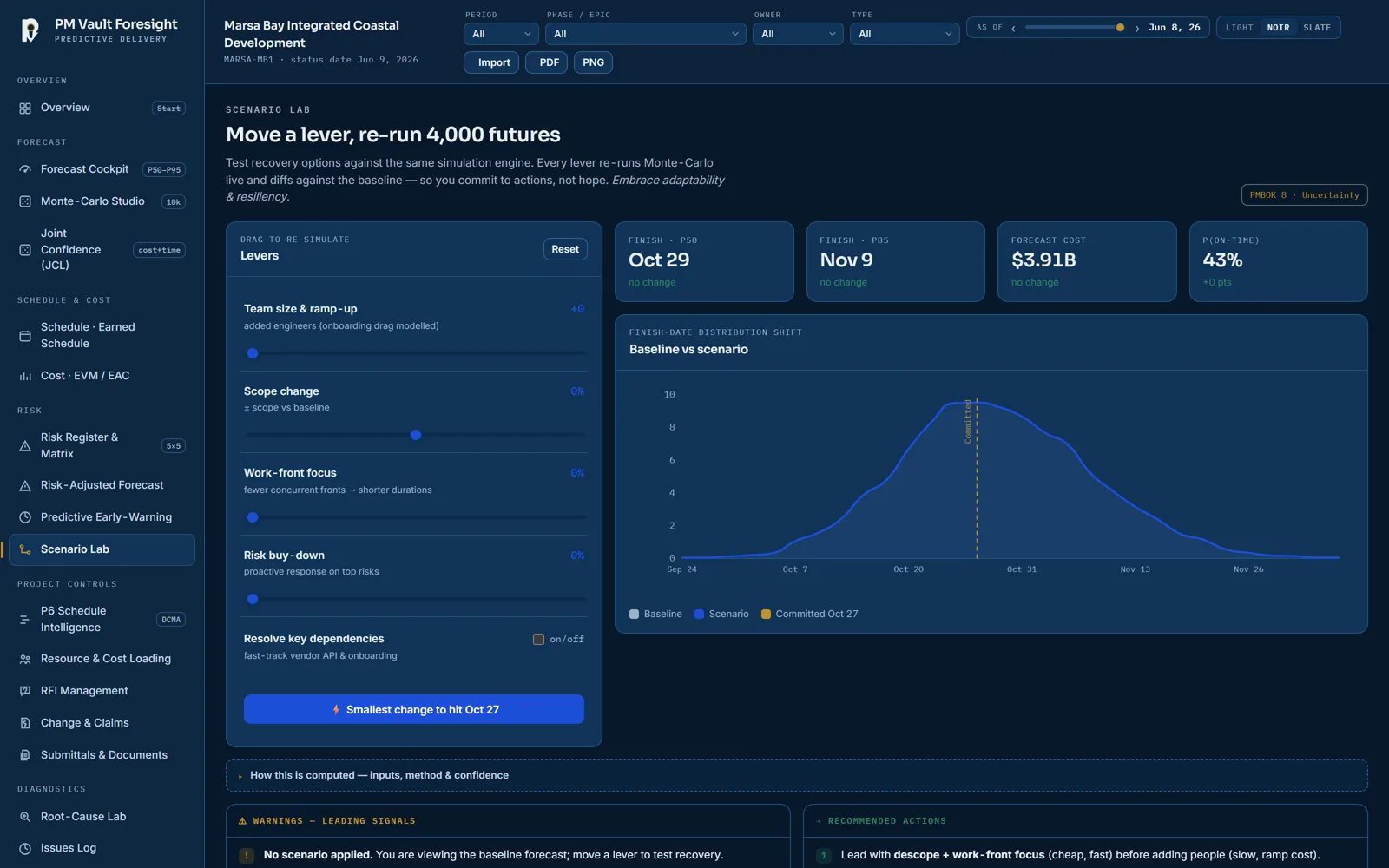
Everything in one place.
RFIs, open issues and tracking sit right next to schedule, cost and risk — what's blocking, who owns it, and what it's costing you in time. One live picture, not ten tabs.
Drive the whole system. Right here.
Every tool boots live in your browser on sample numbers — nothing uploaded, no signup. Foresight first; pick any other and take it for a spin.
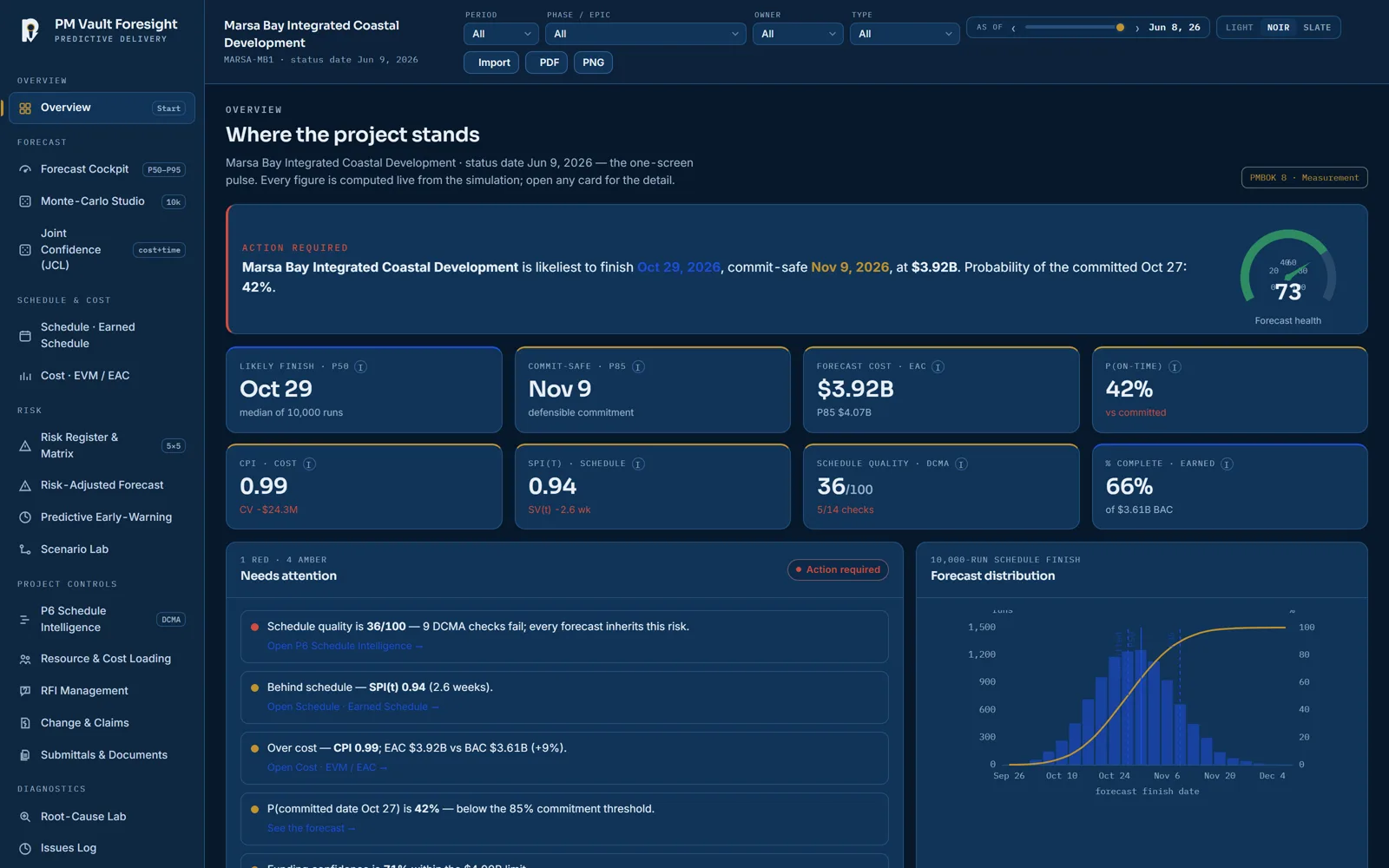
Foresight — your whole project in one screen: schedule, cost, risk, RFIs. The live cockpit.
Foresight is first. The system is coming.
Each world pairs a single-project tool with its portfolio partner. Foresight is buyable today — the rest opens to the founding list first, at founding prices.
Foresight
Your whole project in one screen — schedule, cost, risk and RFIs, with the insight to stay on track.
● Available now → Predictive · portfolioGate
The baseline gate across the whole programme — schedule health, earned value, simulation at scale.
◆ Early access — founding list Adaptive · projectCadence
One team, run as flow — how fast you really move, and when you'll actually be done.
◆ Early access — founding list Adaptive · portfolioWatch
Every team's real status before the meeting — early warning across the whole portfolio.
◆ Early access — founding list Hybrid · projectConverge
Your plan and your day-to-day board in one place, side by side — nothing hidden.
◆ Early access — founding list Hybrid · portfolioSteer
The command deck across a mixed estate — plans and boards, portfolio-wide.
◆ Early access — founding list Cost · projectCount
One project's money, end to end — every dollar explained, month-end without the panic.
◆ Early access — founding list Cost · portfolioReserve
The whole portfolio's money in one defensible picture — consolidate, allocate, close.
◆ Early access — founding listFounding members see each tool first — and buy at the founding price, locked forever. Claim founding access →
It's this simple.
Add your plan.
Your tasks, your budget, your target date — and where you are today.
See if you'll make it.
One clear answer — and where to act first.
Get your report deck in one click.
Schedule, cost, risk and RFIs, pulled into one status deck that builds itself — not your whole evening.
Nothing hidden. Ever.
Most tools either guess or hide the math. PM Vault shows its working — every number traces back to what you typed. Here's a real simulation, running in your browser right now.
simulating…
●Lives on your computer
A single file that runs offline. Turn the internet off — it still works. Nothing to host, nothing to leak.
●Shows every calculation
Click any figure and see how it was worked out — the inputs, the method, the confidence.
●Built on the real standards
Aligned to PMBOK® 8 concepts, DCMA schedule checks and earned-value practice. Independent of all of them. Sources →
See the whole idea.
Buy it once, it's yours.
One-time price. No subscription. Yours to keep, with optional updates if you want them.
- The on-time / on-budget forecast
- Earned value & Earned Schedule
- One project · save & export
- Everything in Solo
- The advanced labs: Monte-Carlo, Root-Cause, Scenario
- Unlimited projects
- Everything in Pro
- Portfolio roll-up across all projects
- Priority setup · updates while active
Own it from day one.
Founding prices are locked forever on what you own, and founders get first say in what gets built next. When the cohort closes, prices double.
Plain answers.
Is it really offline?
Is there a Windows app?
Do I need to be technical?
What does it cost?
Is there a subscription?
What's "PMBOK 8-aligned"?
Can I get my money back?
Know where you stand.
Two minutes from now you can be looking at your own project — schedule, cost and risk together, with the straight answer. Free, in your browser, nothing uploaded.
14-day money-back on anything you buy